Major Chrome Zero-Day Under Active Exploit: Edge and Brave Users Need to Update Too
Google confirmed that CVE-2026-85046 in Chrome's V8 engine was actively exploited in the wild before a patch was released. Rated at CVSS 8.8, this marks the sixth exploited Chrome zero-day this year. Because the flaw resides in the Chromium engine itself, browsers sharing the same foundation—like Edge and Brave—are all affected, and the Android version requires a separate update. Here is a walkthrough of how to check and update each browser.
While scrolling through my phone the other night, I spotted an alarming discussion on the Hacker News front page: "Actively exploited sandbox RCE in all Chromium versions." It sat near the top for hours with over 200 points and more than 200 comments. Clicking in, I realized this wasn't alarmist clickbait—it was officially confirmed by Google: a vulnerability allowing attackers to execute arbitrary code inside your browser, and someone was already exploiting it in the wild before a patch was even out. This is the sixth actively exploited Chrome zero-day Google has patched this year. That number alone shows just how frequently this happens. Only this time, it doesn't just affect Chrome—it impacts the entire Chromium engine, meaning browsers like Edge and Brave built on the same foundation are all caught in the blast radius.
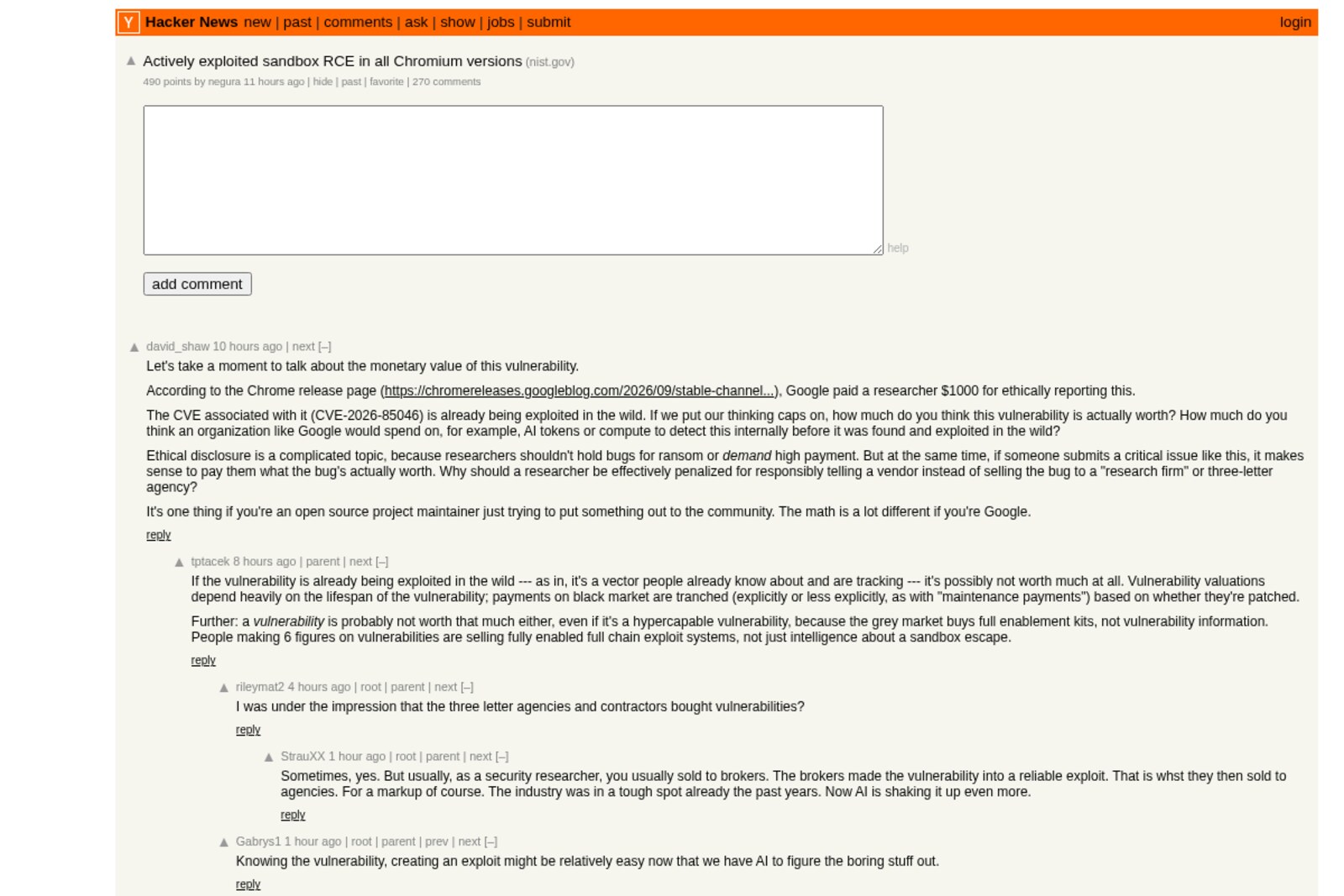
Image source: Hacker News thread screenshot
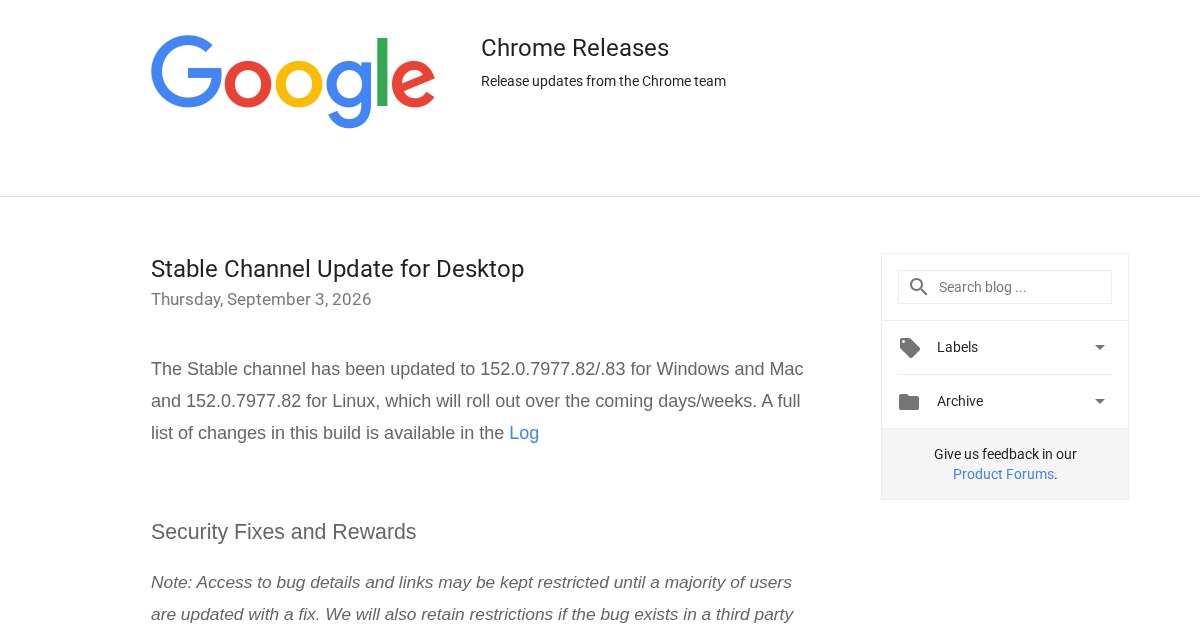
I dug into Google's official announcement page to sort out all the details and outline exactly what everyone needs to do.
Image source: Google Chrome Releases official blog
Where the Flaw Lies, and What Google Is Saying
The vulnerability is tracked as CVE-2026-85046 and resides in the V8 engine—the core component Chrome uses to execute JavaScript and WebAssembly. The official announcement states plainly that this is a "type confusion" flaw. In plain terms, when the program processes certain data, it mistakenly interprets it as a different data type. At the memory level, this kind of misinterpretation can be exploited to achieve arbitrary memory read and write capabilities, which can then escalate into arbitrary code execution. Attackers don't need you to click download or install anything; simply crafting a webpage with malicious JavaScript and having your browser open it is enough to trigger it.
This bug was reported to Google on August 4 by security researcher Salvatore Gulizia, known online as Serotav, earning a $1,000 bounty. Google officially rated its severity as High with a CVSS score of 8.8—a notably serious rating. What demands even closer attention is that the advisory explicitly notes that an exploit for this vulnerability "exists in the wild." That means real users were already being targeted before the official patch dropped on September 3. Google hasn't disclosed specifics about the attacks or the targets, a standard precaution to give most users time to update and prevent other attackers from replicating the exploit techniques.
The U.S. Cybersecurity and Infrastructure Security Agency (CISA) has already added the flaw to its Known Exploited Vulnerabilities catalog on September 4, 2026, ordering federal agencies to patch it by September 18. This speed of enforcement is unusual and typically indicates that active exploitation is already widespread, rather than being a merely theoretical risk. I verified these dates directly on CISA's official website rather than relying on secondhand reporting.
Which Versions Are Patched, and Is Your Browser Vulnerable?
For Chrome, the patched versions are 152.0.7977.82 or 152.0.7977.83 on Windows and macOS, and 152.0.7977.82 on Linux. Any build prior to these numbers is vulnerable. This update addresses 12 security issues in total, with CVE-2026-85046 being the highest-severity flaw and the only one known to be actively exploited.
Because the bug stems from the V8 engine itself rather than Chrome as an isolated product, every browser built on Chromium is affected, including Edge, Brave, Opera, and Vivaldi. Brave rolled out version 1.94.121 at the same time to patch it. Their official blog was quite candid: once security researchers have vulnerability details, working exploit tools often follow shortly after, so there's no reason to put off updating. They recommend users install this version immediately. For Opera, the patched build on record is 135.0.5973.92, with official release notes explicitly citing this fix. As for Vivaldi, I couldn't find an official announcement listing the exact corresponding build number, but like any other Chromium browser, it requires the update just the same. If you use Vivaldi, rather than cross-checking build numbers, you're better off following the steps below to run an update check and install whatever new version is available.
On the Edge front, the stable build I tracked down is 152.0.4191.62, released around September 3. That lands almost in lockstep with Chrome's patch and the version numbering lines up, so theoretically it carries the underlying engine fix. To be completely honest, I couldn't find an advisory where Microsoft explicitly itemized CVE-2026-85046, so I can only confirm that the build number and release window match up. If you use Edge, your safest bet is still to check manually using the steps below rather than assuming you're safe just from the version number in this post.
Mobile browsers require a separate distinction. Chrome on Android uses the exact same V8 engine as the desktop version, and it has also been patched up to 152.0.7977.82. That means your phone and your computer each need their own update—running it on mobile doesn't mean you're automatically off the hook. The situation on iPhone is completely different. Apple requires that every browser on iOS, regardless of whether it carries the Chrome or Edge branding, must use Apple's own WebKit engine under the hood. V8 never gets a chance to run on iOS in the first place, so strictly speaking, this particular vulnerability doesn't affect Chrome or Edge on iPhones. While the EU and Japan have carved out exceptions due to new regulations, versions of iOS in Taiwan still follow Apple's original rulebook, so you don't need to worry about your iPhone for this specific flaw.
3 Steps to Check and Update in Five Minutes
No matter which browser you use, the workflow is virtually the same: find the "About" menu, let the browser check its version against the server, and restart it to apply the update once downloaded.
For Chrome: Click the three-dot menu in the upper-right corner, select "Help," then choose "About Google Chrome." Once opened, the browser will automatically check for updates. If your version is behind, it will show an updating status. When finished, click "Relaunch." This step is the easiest to overlook—plenty of people download the new build but never restart the browser, leaving their tabs running on the vulnerable version.
For Edge: The path is very similar. Click the three dots in the upper right, select "Help and feedback," then "About Microsoft Edge." It will automatically check for updates; hit restart once it finishes.
For Brave: Click the three-line hamburger menu in the top right, go to "Help," and select "About Brave." It will automatically compare version numbers. Remember to restart when it's done so the update actually takes effect.
For Opera: Go to "Update & Recovery" under Settings, which displays your current build and whether an update is available.
For Vivaldi: Go to the menu, select "Help," then "About Vivaldi"—or just type vivaldi://about into your address bar. It displays your version and lets you check for updates right away.
For Chrome on Android: Updates go through the Google Play Store. Open the Play Store, search for Chrome, and if the button says "Update" instead of "Open," tap it. Once updated, be sure to fully close and reopen the app for the changes to take effect.
You can compare Chrome, Edge, Brave, and Opera directly against the version numbers mentioned above; anything older means you haven't received the patch yet. Note that these updates are rolled out in batches rather than hitting everyone globally at the exact same moment. If you check and your browser displays "Chrome is up to date" but your build number is still older than what's listed above, your device simply hasn't reached its turn in the rollout queue. There's no need to click repeatedly—checking back in a day or two will usually do the trick. If you're on desktop and really want it patched immediately, you can head directly to the browser's official website, download the installer, and overwrite your current installation—the result is identical to waiting for the automatic push. On Android, Chrome can currently only be updated through the Google Play Store; there's no separate installer to overwrite with, so you'll just have to wait for the Play Store rollout to reach your device.
What If You Clicked a Suspicious Link Recently? Here's What to Do
This is probably the first question that comes to mind after reading through all this—I wondered the same thing myself. To be frank, Google hasn't disclosed who was targeted in these attacks or how the exploits were executed, and none of the sources I checked could say for sure what specifically happens once a machine is compromised. I can't give you an absolute answer here. Rather than scaring yourself with wild guesses, focus on what is known to help: update your browser to the versions listed above. Going forward, if you notice unfamiliar login alerts or unrecognized charges on your everyday accounts, handle them through standard account compromise protocols—change your passwords and enable two-factor authentication. There's no need to panic, run hasty malware scans, or wipe and reinstall your machine just because you saw this news.
That covers everything for this roundup. The steps aren't complicated—just follow the three paths above and check your version number. If you don't normally have a routine for updating your browser, taking five minutes to check this time should be all you need.
Sponsored
Related
Apple's Sept 10 Event Is Official: With a Rumored NT$60,000 Foldable iPhone Ultra, Should You Wait or Buy Current Stock Now?
Apple officially confirms its Sept 10 event at 1:00 AM. The first foldable iPhone is rumored to start around NT$63,000 for 256GB—roughly 1.6 times the current iPhone 17 Pro. Here is our breakdown of how to watch the livestream, whether the first-gen foldable is worth the gamble, and how to pick from in-stock models if you're on a budget.
LINE Is Deleting Accounts by Year-End: Heads Up If You Only Linked Facebook Without a Phone Number!
The notices claiming "LINE will delete accounts without a linked phone number by year-end" are real, but they only target one specific group: accounts linked solely to Facebook with no registered phone number. Here is how to check if you're affected, how to set up your phone number, email, password, and Apple/Google link all in one go, the major pitfall where linking a number deactivates another account, and the only path left if you're already locked out.
Gemini 3.8 Flash Drops: Official Benchmarks Tie or Beat Opus 5 on Most Tasks, but Two Big Gaps Are Impossible to Hide
Google launched Gemini 3.8 Flash on September 2, just three weeks after 3.7 Flash, priced at only one-sixth to one-seventh of Claude Opus 5. I broke down Google's official benchmark table into plain English: it ties or beats Opus 5 across most tasks, but the gap in Terminal-bench 4.0 and computer-use tests isn't nearly as small as the marketing pitch suggests.